How to Record Multiple People on Separate Tracks
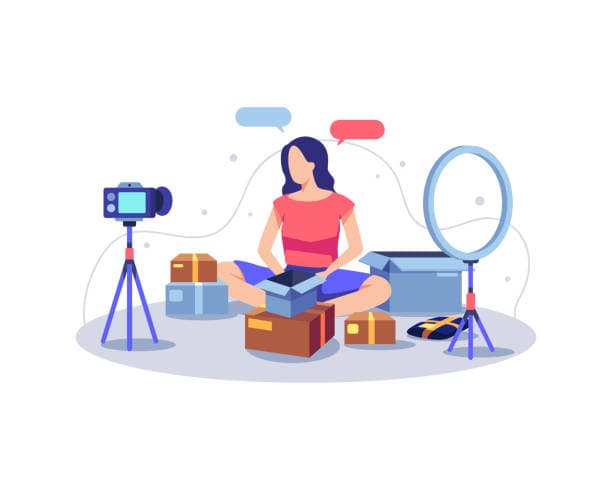
Recording multiple people on separate tracks means giving every person their own microphone and saving each voice as its own file, rather than mixing everyone into one recording. You do this with an audio interface or mixer that supports multitrack output, or with remote recording software that records each guest locally. The payoff is huge: if one person mumbles, coughs or sits too close to the mic, you fix that single track without touching anyone else.
Why separate tracks matter so much
When two or three people share a single recorded track, every problem becomes a shared problem. If your guest is twice as loud as you, you cannot turn them down without dropping your own voice with them. If somebody's chair squeaks while another person is making a great point, you are stuck. One muddy track means you live with whatever happened in the room.
Separate tracks change the maths. Each voice sits on its own lane, so you can raise a quiet host, lower a loud guest, cut a cough, remove background noise from one mic only, and apply the right amount of compression to each person. Editing a video podcast gets easier too, because clean per-person audio syncs neatly with planned video footage. This is the difference between audio that sounds homemade and audio that sounds produced, and it is the single biggest reason serious creators record this way.
What you need to record separate tracks
You need three things: enough microphones for everyone, a device that can capture each mic on its own channel, and recording software that writes those channels to separate files. The device in the middle is where most people get confused, so here is the simple version.
| Setup | Best for | What it does |
|---|---|---|
| Multi-input audio interface | 2 to 4 people in one room | Each XLR mic gets its own channel into your computer |
| Mixer with multitrack USB | Live monitoring plus recording | Mix on the fly while still saving separate tracks |
| Portable multitrack recorder | On location, no laptop | Records each mic to an SD card with no computer |
| Remote recording software | Guests in different cities | Records each person locally, then uploads clean audio |
The mistake to avoid is a mixer that only sends a single stereo mix to your computer. That hardware blends everyone together before recording, which defeats the whole point. Look for the words "multitrack", "multi-channel" or "N-in" on the spec sheet, where N is at least as many as your number of microphones.
How to set it up in one room: step by step
For an in-person podcast with two to four people, the flow is straightforward once you have the right gear.
- Give each person their own microphone. Dynamic broadcast mics like the Shure SM7B or RODE PodMic are popular because they reject room noise and bleed.
- Plug every mic into its own input on a multi-input interface or mixer. A four-person show needs four XLR inputs.
- Open your recording software (Adobe Audition, Reaper, GarageBand or Audacity) and arm each input as a separate track.
- Set levels for each person individually. Ask them to talk at normal volume and aim for peaks around minus 12 to minus 6 dBFS. Getting this right matters, so read up on how to set microphone levels for podcasting.
- Record a 20 second test, then play it back and confirm each voice landed on its own track.
- Hit record for the real session and keep an eye on the meters the whole time.
That last point matters more than people think. A track that silently disconnects or clips for an hour is unrecoverable, so glance at your meters between questions.
Recording remote guests on separate tracks
When your guest is in another city, you cannot plug their mic into your interface. The answer is software that records each person locally on their own machine, then uploads the high quality file afterwards. Tools like Riverside and Zencastr do this, and the difference from a plain Zoom call is night and day, because internet hiccups do not get baked into the recording.
Each person ends up with a clean, full quality track recorded on their side, and the software stitches the timing together for you. If you want a deeper comparison of the options, see Riverside vs Zoom for recording podcasts and the broader walkthrough on how to record a remote podcast guest. The one rule for remote work: ask every guest to use headphones, otherwise their speakers play your voice back into their mic and you lose the clean separation you worked for.
Common mistakes that ruin separate tracks
The most common error is mic bleed, where one person's voice leaks heavily into another person's microphone. Some bleed is normal, but too much means you can no longer truly isolate a track. You reduce it with dynamic mics, good mic technique (talking close and on-axis), and sensible spacing between people.
Another frequent slip is mismatched levels set once and forgotten. A guest who leans in and out moves their level around, so check in during natural pauses. People also forget to record a backup. If your interface or laptop fails, a second recorder or a phone running in the corner can save the whole episode. Finally, do not skip the test recording. Thirty seconds of checking beats discovering after a 90 minute interview that two people landed on the same track.
Recording multitrack at a studio versus doing it yourself
Buying a four-input interface, four broadcast mics, cables, stands and acoustic treatment adds up fast, and you still have to learn to drive it all. A studio already owns the gear, has the room treated, and has someone watching the meters so you do not have to. If you are weighing this up, our piece on whether a podcast studio is worth it versus recording at home lays out the trade-offs honestly.
At Timelapse Studio in Johar Town, Lahore, near Emporium Mall, every session is recorded multitrack as standard. Each guest gets a broadcast microphone on its own channel, so you walk out with clean, separated audio ready to edit. Audio sessions start at Rs 5,000 per hour and professional video starts at Rs 9,000 per hour, with the Creator Pro option at Rs 15,000 per hour. Monthly and long-term bookings get up to 30 percent off, which suits anyone recording a full season. You can see the full breakdown on the packages page.
Turning clean tracks into a finished episode
Separate tracks are only step one. Once you have them, you balance the levels, clean each voice, and mix them into a polished whole. Per-person tracks make this far easier, because you can remove background noise from one mic without smearing the others. Walk through the process in how to mix a podcast episode, and if noise is your problem, how to remove background noise from a podcast covers the fixes.
Clean isolated tracks also make short-form content far better, because clips cut from well-separated audio sound sharp on Reels and Shorts. If clips are part of your plan, the studio offers editing and short-form as add-ons, which saves you the second job of producing them yourself.
Frequently asked questions
Do I need separate tracks if it's just me? No. A solo show only has one voice, so a single track is fine. Separate tracks matter the moment you add a co-host or guest.
Can I record separate tracks on a phone? Not easily for multiple mics. Phones generally capture one input, so for two or more people you need an interface, a multitrack recorder, or remote software that records each person on their own device.
What's the minimum gear for two people on separate tracks? Two microphones and a two-input audio interface, plus recording software that arms each input as its own track. That is the smallest real multitrack setup.
Will the studio give me the raw separate tracks? Yes. At Timelapse Studio each microphone is recorded on its own channel, so you can take the isolated files away or have the studio edit them for you.
How many people can record at once? That depends on your inputs. Timelapse Studio handles full panels with broadcast mics and a professional video setup, so multi-guest video podcasts are no problem.
Ready to record clean, multitrack episodes without buying the gear yourself? Book a session at Timelapse Studio and bring your guests.
Record at our Lahore studio
Audio and video podcast sessions with the gear and crew handled. Check the pricing or grab a slot.