How to Plan a Professional Video Podcast Setup
A professional video podcast setup is planned around the episode, not around a fixed equipment count. A solo creator needs a focused setup. A host-and-guest interview needs clean back-and-forth framing. A panel or brand show needs more room planning, more careful blocking and stronger production flow.
That is why Timelapse Studio keeps the offer simple: Video Podcast is for 1-2 people, and Creator Pro is for 3-5 people, panels, brand shows and bigger production days. Add-ons such as green screen, live streaming, teleprompter, editing and clips are chosen only when they help the episode. Extra video coverage can be discussed for custom productions.
Start with the people in the room
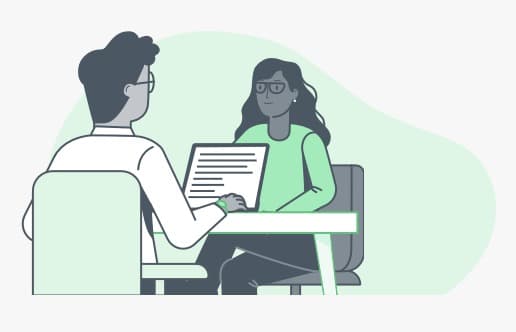
The first question is not gear. It is who will sit on set and how they need to interact. A solo creator can stay compact. A host and guest need comfortable eye contact and clean framing. A panel needs a bigger table plan, more mic control and more careful direction so the conversation stays usable.
| Format | Best package |
|---|---|
| Solo creator | Video Podcast |
| Host + guest | Video Podcast |
| Two-person interview | Video Podcast |
| Panel discussion | Creator Pro |
| Brand show or team episode | Creator Pro |
Plan lighting and audio first
People forgive average visuals before they forgive bad sound. Every person needs a proper mic, clean levels and a treated room. Lighting comes next, because even the best camera looks weak in bad light. A controlled studio gives you both without asking you to buy or run the gear yourself.
Add production only when the episode needs it
More production is useful when it serves the format. A panel might need a bigger seating layout. A brand show might need a tighter visual style. A launch or live event might need streaming. A scripted intro might need teleprompter support. These are real upgrades, but they should be chosen deliberately rather than bundled into every booking.
Editing and clips
The recording is only the start. If you want YouTube, Reels and Shorts, plan for editing and clips before the session. Mark strong moments while recording, keep the conversation structured, and decide whether you want raw files, a full edited episode, captions or short-form clips as deliverables.
What it costs and where to record
At Timelapse Studio in Johar Town, Lahore, video sessions start at Rs 9,000 per hour for 1-2 people. Creator Pro is Rs 15,000 per hour for 3-5 people, panels and bigger production setups. Monthly or long-term bookings get up to 30 percent off. You can see the full breakdown on our packages page.
Frequently asked questions
Which setup do I need for a two-person podcast? Video Podcast is the right fit for a host-and-guest episode or a two-person interview.
When should I choose Creator Pro? Choose Creator Pro for 3-5 people, panels, brand shows, team discussions or any session that needs a bigger layout and more production planning.
Are green screen, live streaming and teleprompter included? No. They are add-ons, because not every episode needs them. Add them when they support the format.
Ready to plan your setup? Book a session and we will match the package to your episode.
Record at our Lahore studio
Audio and video podcast sessions with the gear and crew handled. Check the pricing or grab a slot.