How to Add Intro Music to a Podcast
Adding intro music to a podcast comes down to three steps: pick a short, licensed track that fits your show, drop it onto its own audio layer in your editor, and fade it under your voice so it sets the mood without burying your words. Most intros run 5 to 15 seconds, and the music should sit quietly behind any spoken welcome. Get those basics right and your episode sounds finished before anyone has heard a single sentence of content.
This article covers where to find music you are actually allowed to use, how long an intro should be, the exact editing moves to make it sound smooth, and the common mistakes that make a homemade podcast sound homemade. Numbers and prices are in Rupees where they matter, and everything here works whether you record at home or at a studio.
Why intro music matters more than people think
An intro does a few jobs at once. It tells listeners the show has started, it sets a tone (calm, energetic, serious, playful) before a word is spoken, and it gives you a consistent signature that people start to recognise across episodes. Familiarity builds trust, and on platforms like Spotify and YouTube a recognisable opener helps returning listeners feel at home fast.
There is also a practical side. A clean intro hides the awkward first half second of a recording, smooths the jump from silence into your voice, and gives editors a clear marker for where the episode proper begins. If you are publishing a video podcast, the same music doubles as the bed for your title card or animated logo.
Where to get music you are actually allowed to use
This is the part people get wrong most often. Using a song from your favourite artist will get your episode muted or pulled on YouTube and can get your show removed from Spotify or Apple. You need music that is licensed for use, and you have a few honest options.
| Source type | Cost | Best for |
|---|---|---|
| Royalty-free libraries (Epidemic Sound, Artlist, Uppbeat) | Subscription, roughly Rs 3,000 to Rs 6,000/month | Reliable, large catalogues, safe on YouTube |
| One-time license marketplaces (PremiumBeat, AudioJungle) | Per track, around Rs 3,000 to Rs 15,000 | Buying a single signature track once |
| Free Creative Commons sources (Free Music Archive, YouTube Audio Library) | Free | Tight budgets, but check the licence terms |
| Custom composed track | Rs 10,000 and up | A truly unique sound nobody else has |
A few rules apply across all of these. Read the licence before you use anything, even free tracks, because some require credit in your show notes and some forbid commercial use. Keep a copy of the licence or receipt in case YouTube flags it later. And if you ever want a one-of-a-kind opener, a custom track from a local composer is worth the spend because no other show will have it. For a fuller picture of what music adds to production, see royalty-free music for podcasts.
How long should the intro be?
Shorter than you think. For most shows, 5 to 15 seconds of music is plenty. Listeners who subscribed want your content, not a 45-second orchestral build every single episode. A long intro that plays before every download tests people's patience and pushes them toward the skip button.
A reliable structure looks like this:
- Music starts cold, full volume, for 3 to 5 seconds. This is the hook people recognise.
- Your spoken intro begins ("Welcome to the Lahore Startup Show, I'm...") while the music drops to a low background level.
- Music fades out completely over 2 to 3 seconds once you are properly talking.
- Episode content begins.
That whole sequence usually lands between 10 and 20 seconds. If you want a separate branded element, record a short podcast trailer once and reuse it, rather than rebuilding the open every week.
The actual editing: step by step
Here is the process in any editor, whether you use Audacity (free), GarageBand, Adobe Audition, or a tool inside a recording platform. The principle is identical everywhere.
- Put music on its own track. Import your music file onto a separate layer, sitting above or below your voice track. Never paste it into the same track as your speech, because then you cannot control them independently.
- Trim the music to length. Cut it to the 10 to 15 seconds you need, choosing a section with a clear start. Many tracks have a natural intro built in.
- Set the levels. Bring the music to full volume for the opening seconds, then lower it to roughly 20 to 30 percent of your voice level for the part where you are talking over it. Your voice should always sit clearly on top.
- Add fades. Apply a short fade-in at the very start (half a second) so the music does not click in, and a 2 to 3 second fade-out at the end so it disappears smoothly instead of stopping dead.
- Use a ducking move. "Ducking" means the music automatically dips when you speak. Audition and most modern editors do this with a sidechain or a volume envelope. If your tool cannot, just draw the volume down by hand under your speech.
- Listen on headphones and on a phone speaker. What sounds balanced on good headphones can be too loud or too quiet on a phone, which is where most people actually listen.
If hand-drawing volume envelopes sounds fiddly, that is normal at first. Our beginner guide to editing a podcast walks through the same moves with screenshots in mind.
Matching music to your show's tone
The track should match what your show actually is. A serious interview podcast about business or politics wants something restrained, maybe a simple piano or a clean electronic pad. A comedy or culture show can carry something upbeat and bright. A tech or startup show often suits a modern, slightly synthy bed. The mistake is grabbing the first "cool" track you hear without asking whether it fits the conversation that follows.
Tempo matters too. A fast, busy track followed by a slow, thoughtful host creates a jarring gap. Pick something that flows naturally into the energy of your first spoken line. If you record in Urdu or a mix of Urdu and English, the music can lean local or stay neutral, whatever feels right for your audience and the bilingual feel of your show.
Keep it consistent across every episode
Once you have an intro you like, save it as a reusable template or a single audio file and drop it onto every episode. Consistency is the whole point. Listeners should hear the same few seconds at the top of episode 2 and episode 52. Changing the music every week throws away the recognition you are trying to build.
Save your intro as its own file with the levels and fades already baked in. Then producing a new episode is just a matter of placing that file at the front, adding your fresh spoken open if you record one weekly, and exporting. This is also where batch work pays off. If you batch record several episodes, you can add the same intro to all of them in one editing session.
Common mistakes that make intros sound amateur
A handful of errors show up again and again. Music that is far too loud and drowns the host is the biggest one. No fade, so the track clicks on and stops abruptly, is the second. Intros that run a full minute before any content is third. Using copyrighted commercial songs comes fourth, and it is the one that gets episodes taken down. Last is changing the music constantly so the show never builds a recognisable sound.
Fixing all five takes the same care described above: licensed track, sensible length, proper levels and fades, and the discipline to keep it the same. If you would rather not touch any of this yourself, a studio team can handle music selection, licensing and the full edit for you, which is part of what the editing and short-form add-ons at Timelapse Studio's packages cover.
Doing it at a studio vs at home
You can absolutely add intro music at home with free software, and many great shows do. The trade-off is time and the learning curve. Getting levels, ducking and fades right takes practice, and tracking down properly licensed music takes research.
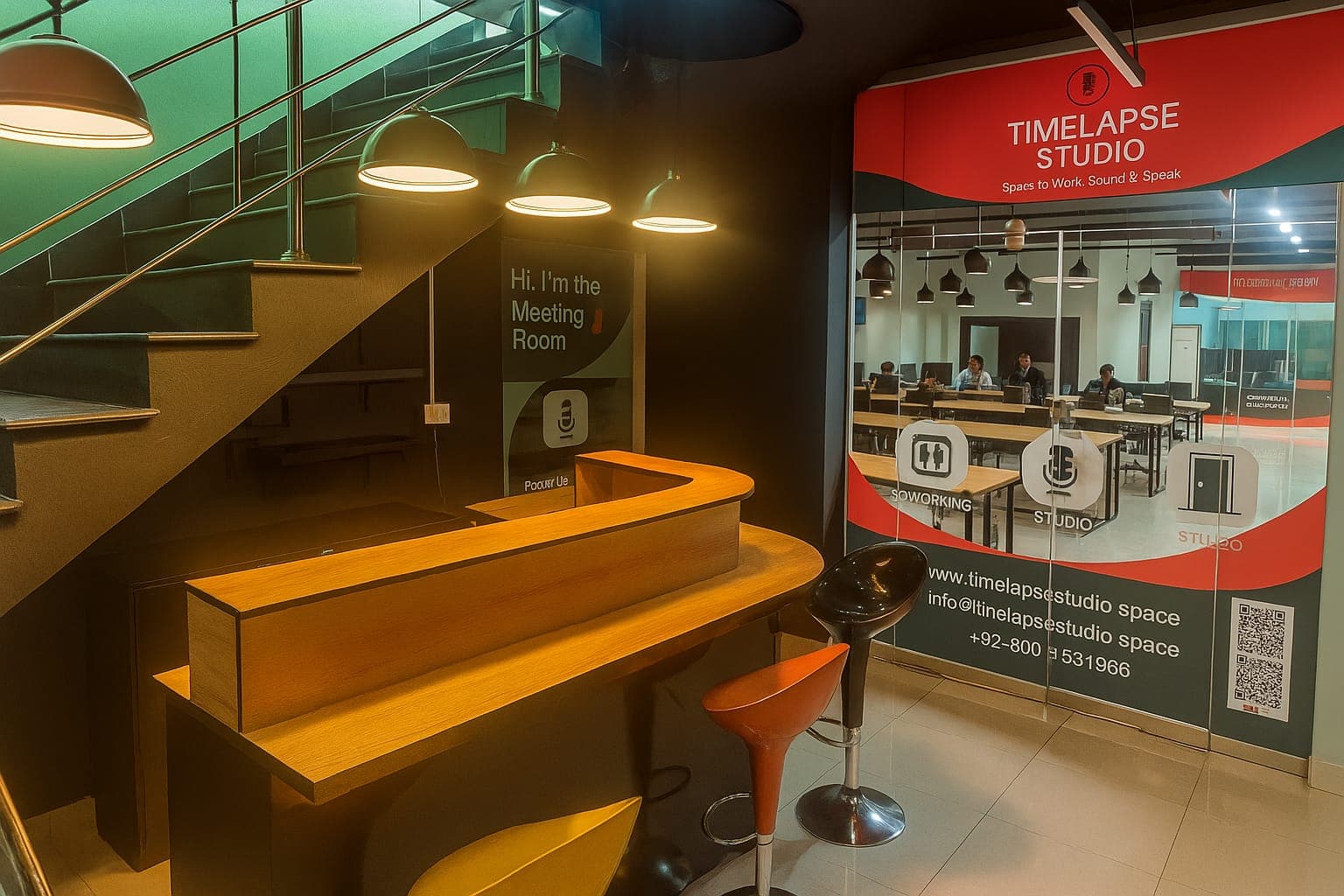
A studio shortcuts most of that. At Timelapse Studio in Johar Town, near Emporium Mall in Lahore, recording starts at Rs 5,000 per hour for audio and Rs 9,000 per hour for professional video, with the Creator Pro option at Rs 15,000 per hour. Editing and short-form clips are available as add-ons, and monthly or long-term bookings get up to 30 percent off. That means the same team that records you can also drop in a licensed intro, mix it properly and hand back a finished episode. If you are weighing the two routes, is a podcast studio worth it vs home lays out the full comparison.
Frequently asked questions
Can I use any song I like as my intro? No. Commercial songs are copyrighted and will get your episode muted, pulled, or hit with a copyright claim on YouTube. Use royalty-free or properly licensed music instead, and keep proof of the licence.
How loud should the intro music be compared to my voice? Full volume for the first few seconds when there is no talking, then dropped to about 20 to 30 percent of your voice level once you start speaking. Your voice should always be clearly on top.
Do I need to add the intro to every episode manually? Save your finished intro as one audio file or an editor template, then place it at the front of each episode. It takes seconds once it is built, and keeping it identical is what builds recognition.
What free tools can add intro music? Audacity and GarageBand both handle separate tracks, fades and volume control at no cost. The YouTube Audio Library and Free Music Archive offer free tracks, but always check the licence terms before publishing.
Can a studio add intro music for me? Yes. Studios that offer editing as an add-on, including Timelapse Studio, can select licensed music, mix it under your voice and deliver a finished episode, so you never touch an editor.
Ready to record and have your intro handled for you? Book a session at Timelapse Studio and we will take it from recording to a polished, ready-to-publish episode.
Record at our Lahore studio
Audio and video podcast sessions with the gear and crew handled. Check the pricing or grab a slot.